Table of Contents
- Tap on the green “open camera” button.
How to Record a Story on StoryMight
Tap the “Tool Box” on the home page to open the Tool Box menu. > Tap the blue “Add a chapter to your StoryBook” button to open the “Add Chapter” screen. > Type the name of your new chapter in the text box and tap “add”. > Your new chapter will appear on the ver bottom of the Home Page (to reorganize the chapters on the Home Page).
Step by step instructions
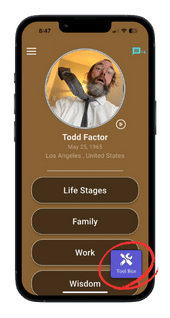
1. Tap the “Tool Box” on the Home Page to open the Tool Box menu.
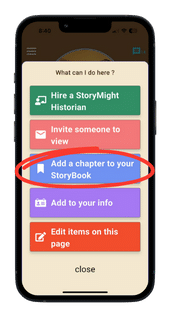
2. Tap the blue “Add a chapter to your StoryBook” button to open the “Add Chapter” screen.
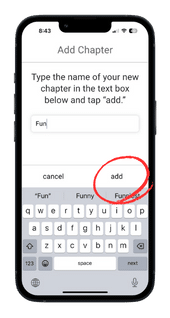
3. Type the name of your new chapter in the text box and tap “add”.
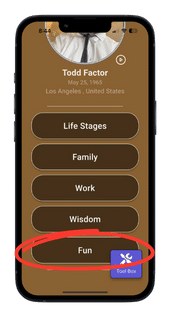
4. Your new chapter will appear at the very bottom of the Home Page (to reorganize the chapters on the Home Page).